A window fan is most useful when you know where the air should come from and where it should go. The right fit keeps the unit secure. The right airflow mode gives that air a useful direction. Neither needs to be complicated, but both deserve a few minutes of attention before you choose a model.
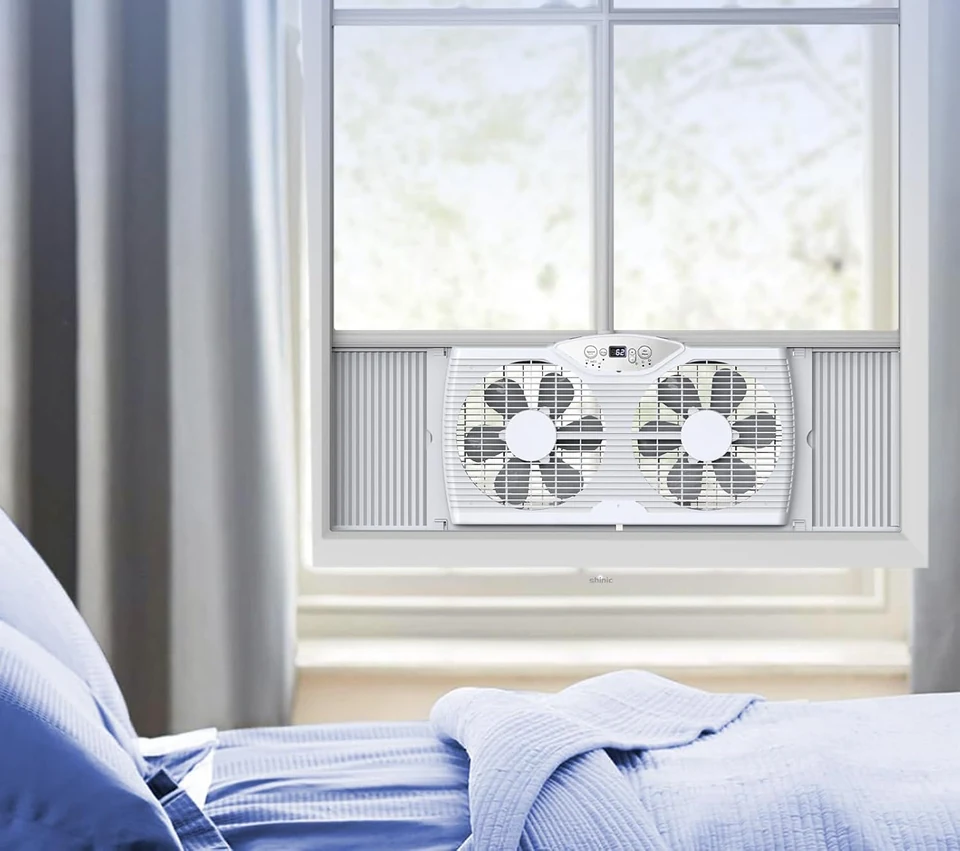
Our SHINIC window fan range includes twin-fan designs with reversible airflow, adjustable side panels and three speeds. The BP2-9A-WH offers remote operation, while the BP6-9D adds temperature-based control. This guide helps you work through the practical differences, measure your window and plan an everyday routine. Start with the window you will actually use, rather than the largest room on the floor plan.
1. Decide what you want the window fan to do
Think about the moment that makes you reach for a fan. Perhaps the living room still feels warm after sunset, even though the air outside has cooled. Perhaps your home office has an operable window but little noticeable air movement. Or perhaps you simply want a breeze at a desk without giving up tabletop space. These situations point toward different solutions.
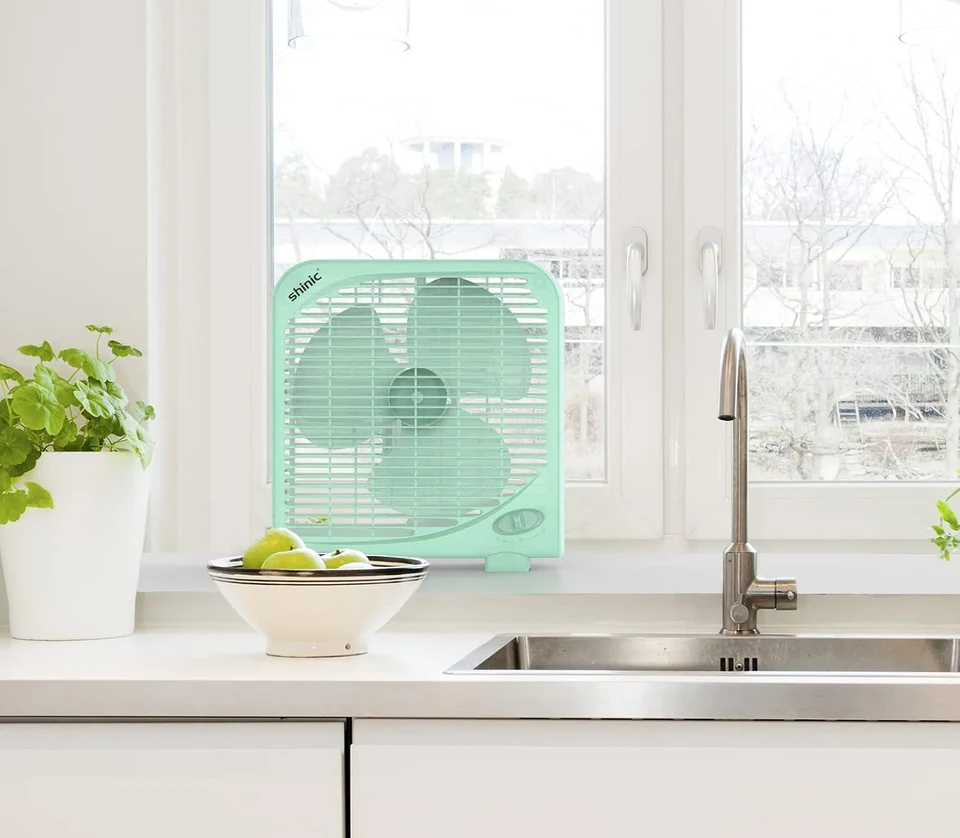
A window fan connects an indoor room with the air outdoors. That makes weather, outdoor conditions and the window itself part of the decision. A tabletop fan works within the room and is easier to move between places. A pedestal fan raises the airflow above furniture. If you only want air directed toward a chair, our table fans or pedestal fans may suit the task without occupying a window.
Write a one-sentence brief before shopping: “I want to bring cooler evening air into the living room,” for example. It is much easier to assess a model against that specific task than against a promise to cool an entire home. Room layout, the available openings and changing outdoor conditions all affect the result.
Keep expectations practical. A fan moves air; it does not refrigerate it or remove moisture like an air conditioner. A temperature setting on a fan is a control feature, not a guarantee that the room will reach that number. For a broader choice between fan types, read our SHINIC fan placement guide .
2. Measure the usable opening, not the trim
Begin with the window open to the position in which the fan would sit. Measure the clear opening between the surfaces that will support or contain the unit. Decorative trim outside that space does not add usable width. A measurement across the whole window frame can therefore be misleading, especially when handles, latches or a deep sash track project into the opening.
Record the width, available height and sill depth separately. Then take a photograph of the opening from inside the room. The picture helps you remember details that a number cannot show: a raised lip on the sill, a blind close to the glass, a screen that curves inward or an uneven edge where a side panel would meet the frame.
The BP2-9A-WH and BP6-9D adjustable-width specifications run from 23.5 to 37 inches. Treat that as one part of the fit check. It does not establish the required opening height, the suitability of every sill, or how your particular window will secure the fan. Check the selected model's complete dimensions and installation instructions before ordering.
| Record | Where to check | Why it matters |
|---|---|---|
| Clear width | Inside the actual opening, between its narrowest edges | The side panels must fit without being forced |
| Clear height | From the support surface to the lowered sash or closing edge | The housing and controls need their full space |
| Support depth | Across the usable sill surface | A narrow or sloped sill may not support the intended installation |
| Obstructions | Locks, handles, screens, blinds and curtain tracks | These can interfere with fit, operation or air movement |
| Outlet position | Along a safe cord route from the installed fan | The cord must reach without crossing a walkway or being pinched |
Measure twice if the opening is close to a stated limit. There is little benefit in choosing a larger fan if installing it requires pressure on the housing, improvised support or a window that cannot be secured as directed.
3. Match the installation to your window style
A sash that moves up and down, a window that slides sideways and a casement that swings outward do not hold an appliance in the same way. Even windows with similar clear measurements can have different tracks, closing edges and support surfaces. Start by identifying how your window opens, then check the installation method for the exact fan you have selected.
Do not assume that rotating a twin fan makes it suitable for any narrow opening. The housing, panel locks, feet and control location need to work in the intended orientation. A product description that mentions several window types still needs to be read alongside its instructions and the geometry of your window. If the installation shown cannot be reproduced securely, choose another location or another fan format.
Consider how you will remove the unit, too. A convenient everyday setup should let you close the window when conditions change, clean around the frame and inspect the appliance without awkward lifting. Keep the area in front of the window clear enough to reach the controls and handle the fan with both hands when needed.
Renters should check building rules before adding fixings or changing screens. A window fan does not replace a security lock, a child guard or a required emergency exit. The installation must preserve the window's essential safety functions. Avoid an improvised mounting solution simply because the fan's width appears to fit.
4. Understand intake, exhaust and exchange
Reversible airflow lets you change the fan's job without treating every warm room the same way. On the SHINIC twin window fans discussed here, the three airflow choices are intake, exhaust and an exchange or circulate setting. Learn which control selects the mode before you begin adjusting speed.
In intake mode, the fan brings outdoor air toward the room. This is a useful starting point when the outdoor air is suitable and you want to feel incoming airflow. In exhaust mode, it moves room air outward. Replacement air must then come from another available opening or leakage path, so the route through the home deserves attention.
Exchange mode uses the two sides for opposing directions. It gives you a different option within one window, but it should not be confused with a balanced whole-home ventilation system. The movement you feel and the effect across the room will depend on the installation, other openings and surrounding conditions.
| Mode | Air direction | Question to ask first |
|---|---|---|
| Intake | Outdoor air moves inward | Is the air outside suitable to bring into this room? |
| Exhaust | Room air moves outward | Where will replacement air enter, and what path will it take? |
| Exchange | The twin sides move air in opposite directions | Does this arrangement suit the available window and the area you occupy? |
Choose the mode first, then adjust the speed. Changing both at once makes it harder to tell which adjustment helped. Stand back in the part of the room you use rather than judging the setup only with your hand immediately in front of the grille.
5. Give the air a route through the room
Before switching on, sketch a simple path from an available opening, through the occupied part of the room, to the fan. A desk, tall cabinet, closed interior door or heavy curtain may interrupt that route. You do not need a technical drawing; a few boxes on paper can make the layout much easier to understand.
For a room with two suitable windows, one possible arrangement is an exhaust fan in one opening and an unobstructed opening elsewhere for incoming air. The CDC describes securely mounted outward-blowing window fans as a way to draw outdoor air through other open windows and doors. The best placement depends on the room, and openings should not create a safety or health risk. See the CDC's air-circulation guidance .
Try a modest adjustment to the second opening, then assess the room again. A wide-open window directly beside the fan may give air a short route that misses your chair or desk. An opening farther across the room may create a more useful path, provided it is safe and suitable to use. Do not leave an exterior door unsecured merely to complete the route.
In a one-window room, your choices are more limited. Compare intake and exchange while keeping the interior layout consistent. If you cannot make a safe route or the outside conditions are unsuitable, an indoor fan may be more convenient. Avoid forcing a window-fan solution onto a room whose layout works against it.
A useful observation is specific: “The air reaches the desk when the interior door is open,” rather than “The fan works better.” That detail helps you repeat the arrangement later and explains why the same settings can feel different after furniture or doors have moved.
6. Separate speed control from temperature control
Speed tells the motor how strongly to run. A thermostat determines when the fan operates around a selected temperature setting. These controls answer different questions, so choose them separately. Begin at a comfortable speed and learn the mode controls before using automatic temperature operation.
The BP6-9D includes a thermostat with settings from 60°F to 85°F and a display that can show the selected setting and room temperature. Its thermostat can switch fan operation on or off around the chosen comfort level. The fan still relies on the air available to it; selecting a lower number does not create refrigerated air.
Pay attention to what the display is showing when you make an adjustment. A selected target and a current reading are different pieces of information. If you are comparing it with another thermometer, note that the two devices may be in different parts of the room. A reading near a window is not necessarily the reading beside your sofa.
Remote operation is helpful when the window is behind furniture or across the room, but the controls on the fan should remain reachable. Before placing a desk in front of the window, check that you can still change a setting, inspect the installation and remove the unit without moving a heavy piece of furniture.
For the first few uses, change one setting at a time. Note the airflow mode, speed and whether automatic control is active. This small habit makes troubleshooting easier. If the fan pauses, you can check the temperature setting before assuming that the unit has stopped working.
7. Compare SHINIC window fans by the controls you will use
The BP2-9A-WH and BP6-9D share the twin-window format, three speeds and reversible airflow choices. The practical distinction is how you want to manage the fan during the day. If you expect to choose a mode and adjust it yourself, straightforward remote control may cover your routine. If temperature-based switching is useful, look more closely at the BP6-9D.
| Feature | BP2-9A-WH | BP6-9D |
|---|---|---|
| Fan format | Twin window fan | Twin window fan |
| Speed selection | Three speeds | Three speeds |
| Airflow choices | Intake, exhaust and circulate | Intake, exhaust and exchange |
| Remote operation | Included control feature | Included control feature |
| Temperature-based control | Choose for direct mode and speed operation | Thermostat with 60°F to 85°F settings |
| Adjustable width | 23.5 to 37 inches | 23.5 to 37 inches |
Also compare the exact accessory package and the installation pictures. Covers, screens, removable feet and sealing materials have different jobs, and package details can vary between models or versions. Read the selected product page rather than assuming every SHINIC twin fan includes the same parts.
A useful shortlist has a reason beside each model: remote simplicity, thermostat control, a particular fit or an included accessory. Keep that reason tied to your room. More controls are only valuable when they solve a problem you actually have. You can compare the available designs in our SHINIC window fan collection .
8. Check the conditions outside before opening the window
A pleasant evening is a different setting from a hot, humid afternoon. Outdoor-air cooling works best when the air being introduced is useful to the indoor space. The Department of Energy's building-science guidance identifies cool nights and suitable breezes as favorable conditions for natural ventilation. It also advises against using natural ventilation when outdoor air quality is poor. Read its natural ventilation and cooling overview .
Make outdoor conditions part of the routine, not an afterthought. Check the weather forecast, look at the exposed side of the building and consider nearby sources of dust or odors. A window beside an idling vehicle, a smoking area or active construction may be a poor choice even when the temperature feels comfortable.
A bug screen or dust cover is not a smoke filter. During a wildfire-smoke event, EPA guidance may call for closed windows and doors, indoor filtration and alternative cooling. Follow local advice and use a clean indoor space rather than bringing smoky air through a window fan. The EPA's wildfire and indoor-air guidance explains those choices.
Pollen-sensitive households may also prefer to keep windows closed during high-pollen periods. Check local conditions and personal needs before selecting intake mode. The most useful fan is one that fits your real routine, including the days when you choose not to use it.
Take extreme heat seriously. EPA warns that fans do not prevent heat-related illness when room temperatures reach the mid-90s Fahrenheit or higher. Arrange access to an adequately cooled place when needed. A stronger airflow setting is not a substitute for that plan. See EPA guidance on extreme heat and indoor air quality .
9. Build a short, repeatable daily routine
Before use, look at the fan rather than reaching immediately for the remote. Check that it is still seated as intended, the panels remain in position and the cord is not caught in the window. Move loose curtains or nearby objects away from the airflow openings. A window that other household members open and close deserves this quick check every time.
Next, decide whether the outdoor air and weather suit the job. Select the airflow mode, set a comfortable speed and confirm any thermostat setting. If you have changed the room layout since the last use, walk through the air path again. A chair moved in front of the window can matter more than an extra speed step.
Plan how the setup will end. If rain is expected or you need to close the window, allow time to switch off, unplug and remove the fan as directed. Do not treat an accessory cover as permission to leave an appliance exposed to weather. Follow the instructions supplied with your exact model for permitted conditions and handling.
Keep small accessories together in a labeled container: remote, unused fitting pieces and the instruction booklet. Note the model number on the container so parts from a different fan do not get mixed in later. This is especially helpful when you store a window fan for part of the year or move it between rooms.
10. Work through the room you actually have
A home office with one window. First check whether the fan and its controls will remain accessible behind the desk. If the desk blocks removal, rearrange the workspace before installing. Compare the airflow at your normal seated position, with papers and lightweight objects put away. A small tabletop fan may be the simpler choice if you only want a breeze at the workstation.
A living room with two openings. Identify where people sit and which opening can safely provide incoming air. Try an exhaust arrangement that carries the airflow through that occupied area. Keep the initial furniture and door positions consistent while comparing settings. Once the route works, you can decide whether remote adjustments or thermostat operation would be useful during longer periods in the room.
A shared apartment. Agree on the window and operating routine with the people who use the space. One person may want the window closed for outdoor noise or pollen, while another wants evening airflow. Choose a setup that can be removed and stored without occupying a shared walkway. Check the tenancy rules before changing any window fittings.
A room already served by air conditioning. Decide whether you are ventilating with outdoor air or keeping cooled air indoors. Running intake through an open window while cooling the room can work against the purpose of the air conditioner. An indoor fan may be a better companion when the aim is simply to move the room's existing air.
These are planning examples, not promises of a particular temperature change. They help you compare placement and controls before buying. If your needs change with the season, our space heater guide covers the separate considerations involved in choosing supplemental heat.
11. Clean and store the fan according to its instructions
Switch off and unplug the fan before cleaning, moving or inspecting it. Use the cleaning method in the supplied manual. Do not immerse the appliance, cord or plug in water, and do not push tools through the grille to reach the blades. Removing a guard or opening the motor housing is not a routine cleaning step unless the exact instructions explicitly allow it.
Dust is easier to manage before it becomes a heavy layer. During ordinary use, look at the accessible grille and the area around the window. Clean the sill and nearby surfaces separately so loose debris is not pushed into the fan. Let any permitted damp-cleaned surfaces dry fully before the appliance is used again.
Use the model label when looking for replacement parts or instructions. Similar-looking twin fans can have different fittings or controls. Keep photographs of the label and the original accessory layout in your own records, especially if you no longer have the box. Do not replace a fuse or electrical part with a different rating to keep the fan running.
For seasonal storage, choose a dry location where the housing will not be crushed by heavier objects. Secure loose accessories without wrapping the cord tightly around sharp edges. When the next season begins, inspect the cord, plug, housing and panels before reinstalling. A damaged or unusually behaving appliance should be taken out of use and assessed through the appropriate support channel.
12. Troubleshoot the setup before changing the purchase
A disappointing first impression can come from the airflow route, an unexpected control setting or a poor fit. Check the simple, visible causes before assuming that a different model is the answer. Stop using the fan if there is damage, a burning smell, unusual heat at the plug or another electrical concern; those are not placement problems to solve by experimenting.
| What you notice | Check first | Next practical step |
|---|---|---|
| Air movement misses the occupied area | Mode, door positions and furniture | Change one part of the route and reassess at your usual seat |
| The fan pauses unexpectedly | Whether thermostat operation is active | Read the displayed setting and consult the model's control instructions |
| The window setup vibrates | Support and panel position, with the fan unplugged | Reinstall only as directed; do not wedge objects into moving parts |
| The remote does not respond | Battery installation and the control instructions | Try the accessible unit controls and follow the manual's troubleshooting steps |
| The room stays hot | Outdoor conditions and the intended task | Use appropriate cooling rather than expecting a fan to refrigerate the room |
Describe the symptom accurately if you need help. “The display is on but the fan pauses at this setting” is more useful than “It does not work.” Have the model number, purchase information and a description of the installation available. Never dismantle the appliance to create a diagnosis that the manual does not ask you to make.
13. Make the final choice around fit and routine
Return to your original one-sentence brief. You should now be able to name the window, describe a secure installation, explain the intended air route and identify the control you will use most often. If any of those answers is still vague, resolve it before comparing less important details.
Choose the BP2-9A-WH when direct speed and airflow selection with remote operation matches your needs. Consider the BP6-9D when temperature-based switching is a useful addition to that routine. In either case, confirm the full dimensions, selected version, included accessories and instructions before completing your order. The adjustable-width range alone is not a complete installation plan.
Keep the alternative formats in view. A table fan can follow you between workspaces. A pedestal fan can deliver airflow at a different height. A window fan makes the most sense when a suitable opening and outdoor-air routine are part of the solution. Our window fan collection gives you the model details, while About SHINIC introduces the wider range and its manufacturing background.
The best next step is small and concrete: measure the opening, note the outlet position and choose the feature that answers your everyday task. With those details in hand, the rest of the comparison becomes much clearer.